















Now Reading: Affinity Goes Free: How Canva Is Changing Professional Design Forever
-
01
Affinity Goes Free: How Canva Is Changing Professional Design Forever
Affinity Goes Free: How Canva Is Changing Professional Design Forever


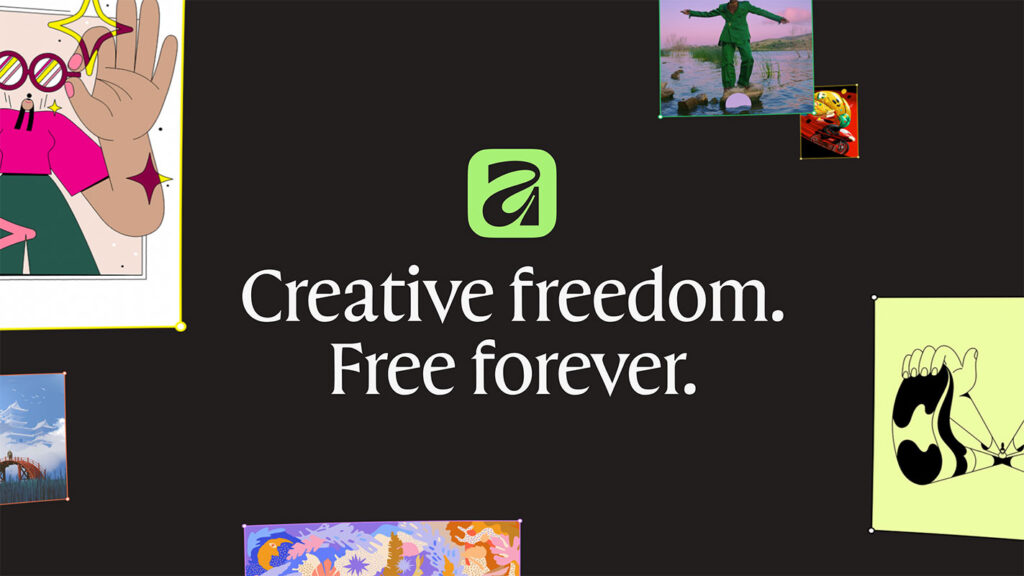
When Canva relaunched Affinity in October 2025, it removed the price and combined three creative apps into one. The move opened serious design tools to more people, but it also raised questions about AI subscriptions, file compatibility, and what free forever really means a year later.
On October 6, 2025, something strange happened to Affinity’s website. The familiar purchase options for Affinity Designer, Photo, and Publisher had disappeared. Three popular creative applications were no longer being sold, and their developer was teasing a mysterious announcement for October 30. For designers who had spent years avoiding expensive software subscriptions, that was slightly terrifying.
Had Canva, which acquired Affinity’s developer Serif in March 2024, decided to change everything? Well, yes. Just not in the way people feared.
On October 30, 2025, the all-new Affinity arrived as a single professional design application combining vector illustration, photo editing, and page layout. The biggest surprise wasn’t simply the redesigned interface or the expanded features. The entire core application was free. No monthly software subscription, no separate purchase for photo editing, and no payment required to unlock professional layout tools.
Canva’s original newsroom announcement carries an October 29 date, while the wider public launch and media coverage followed on October 30. The response was immediate. According to Canva, more than one million people signed up in the first four days, an impressive figure for software that previously depended on paid licenses.
But there’s more to this story than a price tag disappearing. Affinity’s relaunch tells us something interesting about professional creative software, the growing role of artificial intelligence, and how companies are trying to win over designers who are increasingly questioning what they pay for.
From Three Paid Apps to One Free Creative Workspace
To understand why the announcement mattered, it’s worth remembering what Affinity used to be. Originally developed by UK-based Serif, the Affinity family consisted of three separate applications, each designed for a different part of the creative process:
- Affinity Designer: Vector illustration, logos, icons, and graphic design.
- Affinity Photo: RAW photo development, retouching, image manipulation, and compositing.
- Affinity Publisher: Page layout for books, magazines, brochures, and other publications.
These applications became popular alternatives to Adobe Illustrator, Photoshop, and InDesign. Their biggest selling point wasn’t just functionality. It was ownership. Instead of paying an ongoing subscription, customers could purchase a perpetual license and continue using the software without monthly payments. Before the relaunch, individual version 2 desktop applications typically cost $69.99, according to The Verge.

Image: Official press release image published by Affinity.
Then Canva bought Serif in March 2024, and naturally, some existing customers worried that their preferred subscription-free alternative would eventually become another monthly expense. Canva and Affinity responded with a public pledge that month, stating:
We are committed to fair, transparent and affordable pricing, including the perpetual licenses that have made Affinity special
The Affinity and Canva Pledge, March 2024
The companies also promised continued investment in Affinity and greater access for schools and nonprofit organizations. What followed, however, was more dramatic than simply preserving perpetual licenses. In October 2025, Canva eliminated the purchase price for the newly unified application entirely.
Ash Hewson, CEO of Affinity and author of the launch announcement, put the promise plainly:
Affinity is now completely free, forever
Ash Hewson, Canva Newsroom
That’s the company’s stated commitment, rather than an independently enforceable guarantee about every future business decision. Still, the current free offering is real, and for people who want professional tools without another recurring bill, it’s a significant development.
What Makes the New Affinity Different?
Here’s where things become genuinely useful. The redesigned Affinity doesn’t simply bundle three applications into one installer. It brings their creative capabilities together inside the same document and workspace, allowing users to move between different design tasks without constantly switching software.
Imagine designing a small coffee shop’s branding. You could draw the logo using vector tools, retouch photographs for a product menu, arrange everything into a multipage brochure, and export the finished artwork without repeatedly jumping between separate applications. Previously, a project like that might involve several programs and considerable file juggling. Now those steps can happen within one connected environment.
The new Affinity organizes its capabilities into three main studios:
- Vector Studio handles illustrations, editable paths, shapes, typography, and scalable artwork. It’s where you’d create logos, technical graphics, icons, or intricate illustrations.
- Pixel Studio focuses on photographs and raster graphics. It includes retouching, selections, adjustments, live filters, RAW development, and non-destructive editing techniques.
- Layout Studio brings everything together for publications. Think magazine spreads, product catalogs, promotional brochures, and reports requiring consistent typography and page structures.
One distinctive feature is the ability to personalize these workspaces. Rather than accepting a fixed arrangement of tools, designers can rearrange panels, combine functions from different studios, and save customized setups. They can also share those configurations with other users. It sounds like a small convenience, but for someone spending eight hours a day editing images or preparing artwork, it could make a noticeable difference.
Affinity also introduced features including Image Trace, mesh gradients, hatch fills, ePub support, and additional visual effects. According to the official product documentation, it supports importing popular formats such as PSD, AI, IDML, and DWG, alongside standard export options. That matters because few professional designers work entirely within a single software ecosystem.
An agency might receive a Photoshop document from a photographer, an Illustrator logo from a freelancer, and publication files originating in InDesign. Affinity offers ways to work with those materials, potentially reducing the need to maintain several expensive applications. Of course, file-format support doesn’t guarantee perfect compatibility. Complex typography, effects, and document structures can still require checking, so anyone handling demanding client projects should test representative files before changing their entire workflow.

Image: Official press release image published by Affinity.
So, Is Affinity Really Completely Free?
Yes, with one important distinction. As of October 2026, the standard Affinity application provides its core Vector, Pixel, and Layout tools at no cost. According to Affinity’s current download FAQ, users also receive customization features, export functionality, and free application updates.
There are a few practical details worth understanding before downloading:
- A free Canva account is required to download and activate Affinity.
- Windows and macOS are supported, including Apple silicon Macs.
- Core design functionality does not require a paid subscription.
- Offline editing is supported after initial download and activation, although connected services need internet access.
- Canva AI features require an eligible premium Canva plan.
- The new iPad application is not yet released as of October 31, 2026, although pre-orders are available.
The distinction around AI is especially important because this is where the free and paid offerings begin to separate. Canva AI Studio integrates features such as generative image editing, image expansion, and background removal into Affinity. These are additional capabilities tied to paid Canva plans, not mandatory purchases for using Affinity’s traditional professional design tools.
In other words, a freelance illustrator can create vector artwork, edit photographs, and produce layouts without paying for Canva AI. Someone who wants access to those advanced AI features may choose a premium plan, but the decision is optional. That’s a meaningful difference from a free trial or a severely limited entry-level edition where essential tools disappear unless you upgrade.
The Business Strategy Behind Free Professional Software
Giving away professional software sounds generous, but it also makes commercial sense. Canva already operates a business built around free access, premium subscriptions, business collaboration, and additional services. Making Affinity free introduces professional designers to a broader product ecosystem without requiring them to pay at the door.
Consider how this might work in a small business. A designer could create a detailed brand identity in Affinity, then export those assets into Canva, where a marketing team can reuse them across presentations, social media graphics, and promotional campaigns. The designer handles precision work while Canva helps other team members use the results. Both products become more useful together, even though they serve different creative needs.
In a November 2025 explanation, Canva attributed the decision to its broader freemium business model and financial resources. At the time, it reported more than 28 million paying customers and $3.5 billion in annualized revenue. Those are company-reported figures, not independent measurements of Affinity’s profitability, but they help explain how Canva can support a professional application without charging everyone who installs it.
My reading is that Affinity isn’t necessarily intended to generate revenue through direct software sales anymore. Instead, it can attract skilled professionals, strengthen Canva’s credibility with design teams, and potentially create demand for premium collaboration and AI services. That’s an attractive strategy, although it also creates questions about how the application might evolve.

Image: Official press release image published by Affinity.
Will Affinity remain independently useful as Canva integrations expand? Can professional users avoid unnecessary account dependencies? And will development continue prioritizing the detailed, sometimes unglamorous tools that designers rely on every day? These aren’t reasons to dismiss the free offering, but they’re fair questions for anyone considering a long-term switch.
There are practical concerns for existing customers, too. The new Affinity opens files created with Affinity V1 and V2, but older applications cannot open files saved in the newer format. Serif says existing V2 licenses remain valid and activation servers will stay available, although those applications will not receive future updates. For anyone maintaining a long-running publication or collaborating with colleagues on older versions, that compatibility limitation is significant.
Privacy deserves similar attention, especially as AI becomes more closely integrated with design software. Canva states that Affinity stores creative work locally and that content created in Affinity is not used to train its AI features. These are published company policies and assurances, rather than conclusions from an independent security audit. Users considering a switch should understand both the assurances and the relevant account and data settings.
One Year Later, Affinity Is Becoming Something Bigger
The October 2025 announcement wasn’t the end of the story. By April 2026, Canva reported that more than five million creatives had adopted the new Affinity. The company also introduced closer connections between Affinity and Canva’s Brand System, enabling designers to publish elements directly into Canva Brand Kits. It was another step toward connecting professional creative production with the everyday marketing and collaboration tasks that Canva already handles.
Then came another round of professional updates. On September 16, 2026, Canva announced its ProSuite, connecting Affinity with creative tools including Cavalry, Flourish, and Leonardo. For Affinity specifically, the September announcement highlighted a long-requested Blend Tool, scripting capabilities, improvements to RAW photo processing, 3D model support, native INDD import, and additional workflow integrations.
The scripting tools are particularly interesting because they address a different kind of creative problem: repetitive production work. Instead of performing identical edits or preparation steps again and again, designers can automate tasks across vector, pixel, and layout work. The company also described a Claude AI connector capable of helping generate reusable automation scripts, potentially giving users another way to build faster workflows without requiring advanced programming knowledge.
These developments suggest a clear direction. Affinity is becoming part of a connected professional production environment while retaining its core design capabilities. However, not every announced integration or future feature should be confused with something already available. For example, Canva said in September that the new Affinity for iPad would arrive in November 2026. As of October 31, that remains an upcoming release rather than a completed launch.
There’s also a larger question about long-term pricing. During an April 2026 interview with The Verge’s Decoder, reaffirmed the company’s position:
Affinity is free and will be
Melanie Perkins, Canva co-founder and CEO
That’s a reassuring statement for designers wondering whether free access is merely a temporary customer-acquisition tactic. Still, future promises are best judged by continued product decisions, particularly when professional users may invest years in learning the software and developing workflows around it.
For established creative professionals, adopting an alternative application takes more than an attractive download page. Existing workflows, keyboard shortcuts, plug-ins, file compatibility, printing requirements, and collaboration practices all influence software choices. Adobe’s tools also remain deeply embedded in many agencies, educational programs, and client relationships, so a zero-dollar competitor doesn’t automatically make switching painless.
Yet Affinity doesn’t have to replace every competing product to matter. My prediction is that its strongest opportunity lies with students, freelancers, small studios, educators, and businesses that need serious design capabilities without committing to a large recurring software budget. Those groups may be more willing to experiment, especially when they can access a broad selection of tools without an upfront investment.
Related Posts

Previous Post
Next Post















Advertisement