



Graphic Design Tools 2026: Powerful Picks Worth Your Time

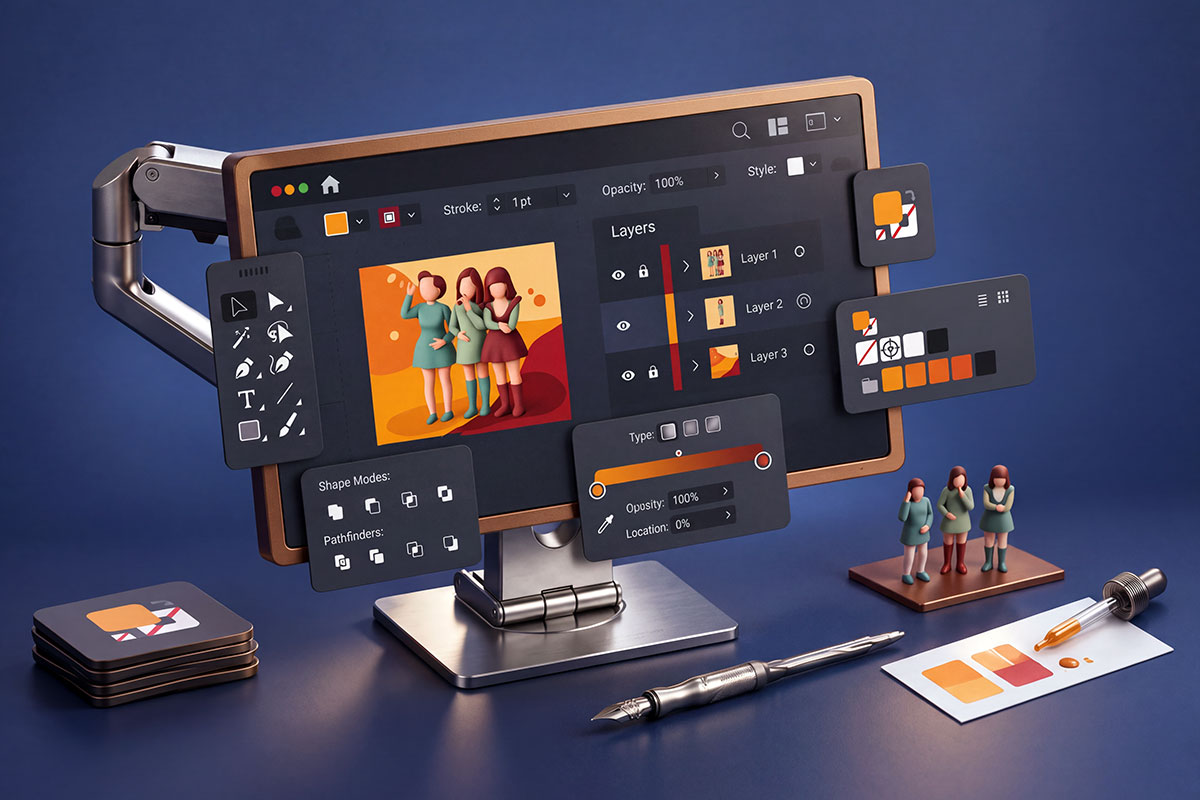
Image generated with Adobe Firefly for illustrative purposes.

Affinity is free. Adobe is testing AI assistants. Procreate still wants you to draw. Graphic design tools have taken some interesting turns in 2026—here’s what’s changed, which features are actually available, and what matters when you’re choosing software for real client work.

A client needs a logo, a sales deck, six social posts, and a short animation. By Friday. Suddenly, choosing design software feels less like picking a favorite app and more like figuring out which design tools can get the whole job out the door.

In 2026, some familiar choices have changed quite a bit. Affinity has become a free, unified application. Adobe is testing assistants that handle multi-step tasks. Figma is pushing further into motion and code. And Procreate? It’s sticking with human-made art.

The useful question is what happens after the first draft. Can you revise it? Share it? Deliver the files someone else actually needs?


Adobe, Affinity, and CorelDRAW: Design tools for the Full Production Job

Adobe Creative Cloud

If your projects move between photo editing, branding, publishing, and video, Adobe still makes a practical case for itself. Photoshop handles image editing and compositing; Illustrator covers vector artwork; InDesign handles page layouts; Premiere and After Effects cover video editing and motion graphics. Those complementary roles remain central to Adobe’s creative app lineup.

The bigger 2026 development is task automation. On June 18, Adobe announced public-beta AI Assistants for Photoshop, Illustrator, InDesign, Premiere, and Frame.io. Its examples include organizing Photoshop layers, producing Illustrator file variations from spreadsheet data, and updating InDesign layouts. The After Effects assistant was announced in private beta, a different level of access. These are documented beta releases, not a promise that every workflow is ready for unattended production. Source: Adobe’s June announcement.

That’s a more useful update than claiming Generative Fill works “in real time” or that Firefly behaves identically across every app. Features, access, and release status need checking individually.

My take: Adobe makes the most sense when its breadth and native files solve real delivery problems. If you only need one application, start by comparing the relevant single-app option with a bundle. A subscription earns its place by saving you work.

Affinity

This is the biggest correction to the old list.

The current Affinity brings vector design, photo editing, and page layout into one application. Canva announced the all-new app in October 2025, and the core software is free. Describing today’s offering simply as three separate, one-time-purchase alternatives misses the change.

There is a distinction worth keeping straight: the professional design tools are free, while integrated Canva AI tools require a qualifying Canva premium plan.

And there are actual 2026 improvements to discuss. The March update introduced a light interface, faster ways to turn pixel selections into vectors, and Live Tone Blend Groups for editable, non-destructive compositing. These are released features. The original article’s claims about an “Affinity 3.0” collaboration and 3D upgrade should be replaced with this documented release history. Source: Affinity’s March 2026 update.

For freelancers and small studios, that makes Affinity a serious candidate for everyday work. Still, try a representative client file before switching. File compatibility deserves a test project, not a leap of faith.


Design tools shape possibilities, but your imagination gives them purpose. Every sketch, every color, and every detail is a chance to turn an idea into something that connects with people.

– Magazine savvy


CorelDRAW Graphics Suite

CorelDRAW deserves a look when your work involves vector illustration, signage, page layout, or an existing Corel-based production process.

Its March 2026 release added AI image generation and remixing, background removal, and AI-assisted masking in PHOTO-PAINT, alongside interface and performance changes. Both subscription and one-time-purchase options remain available. Source: Corel’s 2026 release announcement.

Watch the AI allowance, though. The release announcement specifies 2,000 monthly credits for subscribers and maintenance customers, versus a one-time allocation of 2,000 credits for outright purchasers. That difference matters if generation becomes part of your daily routine.

For a print shop, I’d put dependable output, supplier compatibility, and repeatable production ahead of the flashiest demo. Boring? Maybe. Useful when a job is due? Absolutely.


Figma and Sketch: Designing Interfaces With Other People

Figma

Figma’s appeal starts with shared design files, reusable components, layout systems, prototypes, and developer handoff. If several people need to work through the same interface together, those fundamentals are a sensible place to begin.

But calling it only a UI mockup tool now leaves out a lot.

At Config in June 2026, Figma introduced code layers, Figma Motion, shader fills and effects, generative plugins, and Weave tools on its canvas. The practical direction is clear: more ways to explore behavior, animation, and visual effects alongside the design itself. Source: Figma’s Config 2026 recap.

Release status still matters. That recap also described some capabilities as forthcoming, including interactive shaders and broader ways to publish custom tools. Treat those as announcements rather than assuming every demonstration is available in your account. Figma maintains a Config availability guide.

For teams, I’d start with shared components and clear handoff practices, then add the newer tools where they help. A generated screen can look convincing long before anyone has worked out the awkward error states.

Sketch

Sketch still gives Mac-based designers a compelling option: a native editor with local work, collaboration, and browser-based review and handoff. Its developer inspection tools are free, which is useful when comparing the cost of a whole team’s workflow.

The August 2026 Florence release brought more control to Stacks, including minimum and maximum sizes, percentage sizing, and negative spacing. It requires macOS 15 Sequoia or later. That’s a concrete update—and a hardware-planning detail worth noticing. Source: Sketch’s release notes.

I’d shortlist it if you like working in a Mac application and want control over where you keep your documents. If your design team uses mixed operating systems, weigh that preference against everyone else’s editing needs.


Canva, Procreate, and Linearity: Pick the Workflow You Actually Enjoy

Canva

Canva fits the busy middle of design work: presentations, campaign graphics, social posts, documents, and assets that colleagues need to update themselves. Templates and shared brand assets can make recurring work much easier to manage.

A particularly useful 2026 addition is Magic Layers. Introduced in March, it converts flat images into editable, layered designs inside Canva. The point is straightforward: adjusting a headline or moving an object shouldn’t always require rebuilding the entire image. Source: Canva’s Magic Layers announcement.

In June, Canva announced that Magic Layers was also available through its Gemini and ChatGPT integrations, allowing generated images to move into an editable Canva workflow. That is a confirmed integration announcement, not a prediction about where design tools might go.

Of course, check the result. Especially the type, spacing, and reconstructed elements. An editable first draft is worth more than a beautiful dead end.


The best design tools give ideas room to grow. They help you explore new directions, refine the smallest details, and bring what you imagine closer to what others can see and experience.

– Magazine savvy


Procreate

Sometimes you just want to draw.

Procreate remains focused on illustration and painting on iPad. Its appeal is the drawing experience: brushes, layers, and direct interaction with the canvas. Procreate Dreams is the separate animation application, and its current support materials cover Dreams 2, including its file and brush-system upgrades.

One correction is essential: the original claim about AI-assisted sketching should go. Procreate explicitly says it is not adding generative AI to its apps. That’s the company’s stated policy, not speculation. Source: Procreate’s AI statement.

For illustrators who want their tools to support drawing without generating the artwork for them, that position may be part of the appeal.

Linearity Curve, formerly Vectornator

Linearity Curve offers vector editing on Mac, iPad, and iPhone, with tools for paths, shapes, illustration, and branding. Most core editing and export functions work offline; cloud-dependent features, including synchronization, need a connection.

So, be precise about “cross-platform.” Curve’s native apps serve Apple devices. The original wording could easily leave Windows and Android users with the wrong impression.

Linearity also offers Move for animation. If you want to draw vector artwork on an iPad and carry it into motion work, the pairing is worth testing. Start with a real asset and check the exports your project requires.


AI Design Tools: Useful First Drafts Still Need a Designer

Kittl, Visily, and Uizard belong on the list, but they solve different problems.

  • Kittl combines typography, vector editing, templates, mockups, and AI generation. I’d consider it for merchandise, packaging concepts, and promotional visuals where lettering and presentation matter.

  • Visily turns prompts, screenshots, and diagrams into editable interface designs, with wireframing and prototyping tools. It’s a practical option for getting a product idea into a form people can discuss.

  • Uizard offers prompt-based prototype generation alongside screenshot and hand-drawn wireframe scanning. Those scanning tools predate 2026; they remain relevant features, not new launches for this year.

My view: these tools are most useful when you know what you need to evaluate. A signup flow. Three packaging directions. A rough dashboard layout. Give the draft a job.

A polished mockup is still a hypothesis. It doesn’t tell you whether someone can read the labels, understand the navigation, or recover from a mistake.


Design tools make experimentation possible, and experimentation makes ideas stronger. Each version helps you discover what works, question what doesn’t, and create something you couldn’t have imagined at the start.

– Magazine savvy


Before committing to another design tools, give it one ordinary assignment from your week. Make the thing. Change the brief halfway through. Export it, reopen it, and hand it to someone else.

That last revision—the small, irritating one you didn’t plan for—will tell you a lot.

0 Votes: 0 Upvotes, 0 Downvotes (0 Points)

Previous Post

Next Post

Loading Next Post...
Follow
Search Trending
Popular Now
Loading

Signing-in 3 seconds...

Signing-up 3 seconds...